
5.1 KiB
5.1 KiB
Probability Sampling
Menu Path : Operator > Logic > Probability Sampling
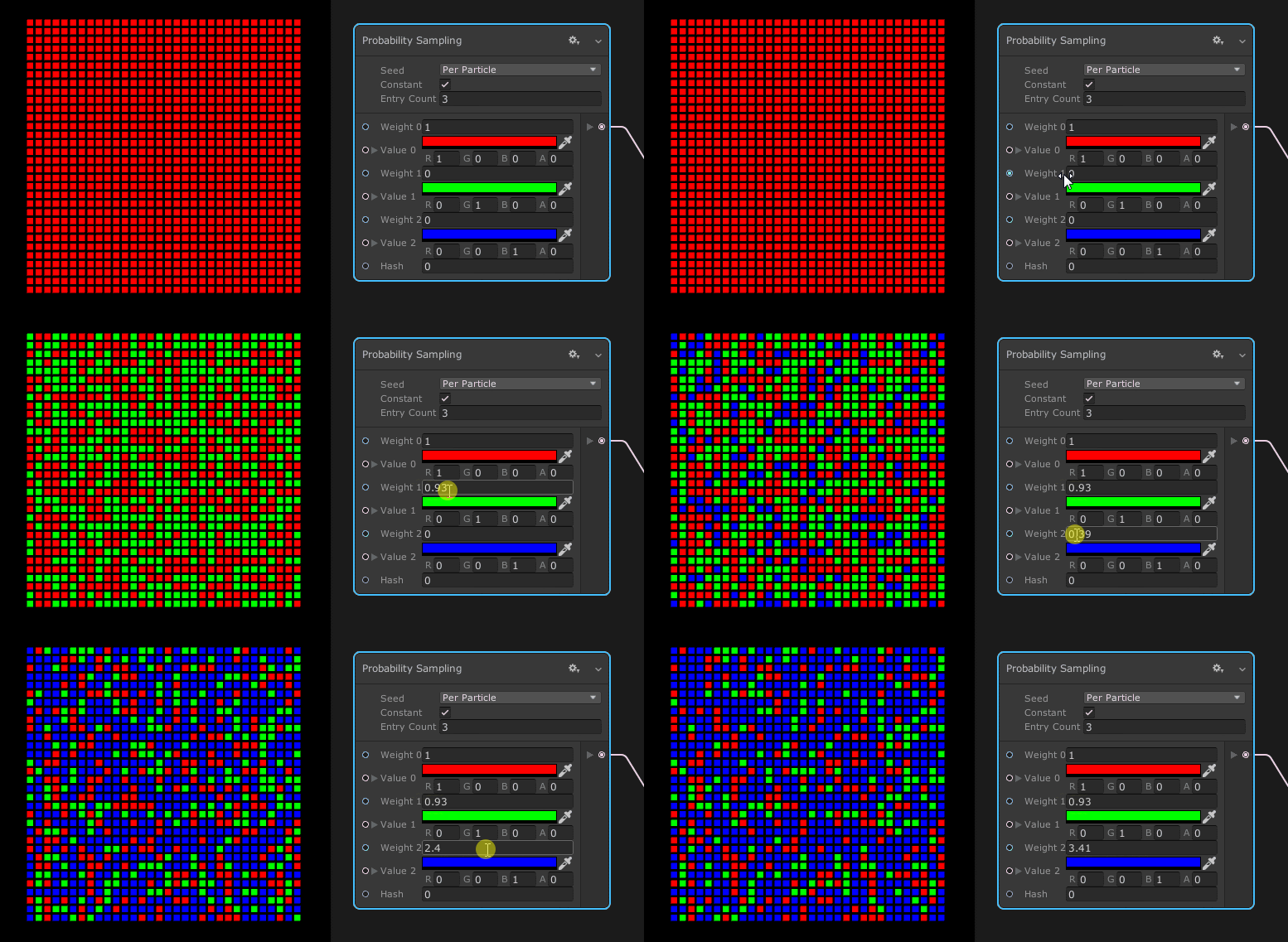
The Probability Sampling Operator performs a kind of switch/case operation where a weight controls the probability of selecting a case. If all weights are equal, this Operator produces a uniform distribution of the different output values.
Operator settings
| Setting | Description |
|---|---|
| Integrated Random | (Inspector) Specifies whether this Operator generates the random number itself, or if it allows you to input a custom random number instead. |
| Seed | Defines the scope of the random number. For more information, see Random Number. This setting only appears if you enable Integrated Random. |
| Constant | Specifies whether the generated random number is constant or not. For more information, see Random Number. This setting only appears if you enable Integrated Random. |
| Entry Count | The number of cases to test. The maximum value is 32. |
Operator properties
| Input | Type | Description |
|---|---|---|
| Weight 0 | float | The weight for the first value. The larger this value is compared to the rest of the weights, the higher the chance the Operator selects the first value. |
| Value 0 | Configurable | The value to output if the Operator selects Weight 0. |
| Weight 1 | float | The weight for the second value. The larger this value is compared to the rest of the weights, the higher the chance the Operator selects the second value. |
| Value 1 | Configurable | The value to output if the Operator selects Weight 1. |
| Weight N | float | To expose more cases, increase the Entry Count. |
| Value N | Configurable | To expose more cases, increase the Entry Count. |
| Rand | float | The value this Operator uses to choose a value from amongst the weights. This should be between 0 and 1.This property only appears if you disable Integrated Random. |
| Hash | uint | The value this Operator uses to create a constant random value. This property only appears if you enable Constant. |
| Output | Type | Description |
|---|---|---|
| Output | Configurable | The value where the corresponding case entry is equal to Input value or, if there isn’t any match, Default. |
Operator configuration
To view the Node's configuration, click the cog icon in the Node's header.
| Property | Description |
|---|---|
| Type | The value type this Operator uses. For the list of types this property supports, see Available types. |
Available types
You can use the following types for your Input values and Output ports:
- Bool
- Int
- Uint
- Float
- Vector2
- Vector3
- Vector4
- Gradient
- AnimationCurve
- Matrix
- OrientedBox
- Color
- Direction
- Position
- Vector
- Transform
- Circle
- ArcCircle
- Sphere
- ArcSphere
- AABox
- Plane
- Cylinder
- Cone
- ArcCone
- Torus
- ArcTorus
- Line
- Flipbook
- Camera
This list does not include any type that corresponds to a buffer or texture because it is not possible to assign these types as local variables in generated HLSL code.
Details
The internal algorithm of this Operator can be described by this sample code :
//Input

float[] weight = { 0.2f, 1.2f, 0.7f };

char[] values = { 'a', 'b', 'c' };

//Compute prefix sum of height

float[] prefixSumOfWeight = new float[height.Length];

prefixSumOfHeight[0] = weight[0];

for (int i = 1; i < weight.Length; ++i)

    prefixSumOfHeight[i] = weight[i] + weight[i - 1];

//Pick a random value [0, sum of all height]

var rand = Random.Range(0.0f, weight[weight.Length - 1]);

//Evaluate probability sampling

char r = 'z';

for (int i = 0; i < weight.Length; ++i)

{

    if (rand < prefixSumOfWeight[i] || i == weight.Length - 1)

    {

        r = values[i];

        break;

    }

}

//Output

Debug.Log("Result : " + r.ToString());