Experimental: This Feature is currently experimental and is subject to change in later major versions.
# Mesh Index Count
**Menu Path : Operator > Sampling > Mesh Index Count**
**Menu Path : Operator > Sampling > Skinned Mesh Index Count**
The Mesh Index Count Operator allows you to retrieve the number of indices in the geometry of a mesh or skinned mesh renderer.
## Operator settings
| **Property** | **Type** | **Description** |
| ------------ | -------- | ------------------------------------------------------------ |
| **Source** | Enum | **(Inspector)** Specifies the kind of geometry to sample from. The options are:
• **Mesh**: Samples from a mesh asset.
• **Skinned Mesh Renderer**: Samples from a [Skinned Mesh Renderer](https://docs.unity3d.com/Manual/class-SkinnedMeshRenderer.html). |
### Operator Properties
| **Input** | **Type** | **Description** |
| ------------------------- | --------------------- | ------------------------------------------------------------ |
| **Mesh** | Mesh | The source mesh asset to sample.
This property only appears if you set **Source** to **Mesh** |
| **Skinned Mesh Renderer** | Skinned Mesh Renderer | The source Skinned Mesh Renderer component to sample. This is a reference to a component within the scene. To assign a Skinned Mesh Renderer to this port, create a Skinned Mesh Renderer property in the [Blackboard](Blackboard.md) and expose it.
This property only appears if you set **Source** to **Skinned Mesh Renderer** |
| **Output** | **Type** | **Description** |
| ---------- | -------- | ------------------------------------------------------------ |
| **Count** | UInt | The number of indices in the geometry. If the topology uses a default triangle list, you can divide this value by three to get the number of triangles. |
#### Limitations
The Mesh Index Count Operator has the following limitations:
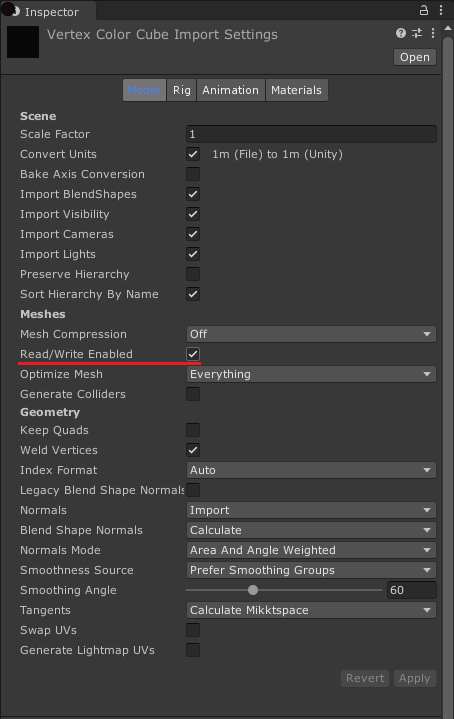
- If a Mesh is not [readable](https://docs.unity3d.com/ScriptReference/Mesh-isReadable.html), this Operator returns uint.MaxValue. For information on how to make a Mesh readable, see [Model import settings](https://docs.unity3d.com/Manual/FBXImporter-Model.html)