# Flipbook Player
Menu Path : **FlipBook > Flipbook Player**
The **Flipbook Player** Block creates animated particles using flipbook textures. To do this, it increments each particle's **Tex Index** attribute over time.
Flipbook textures are texture sheets that consist of multiple smaller sub-images. To produce an animation, Unity steps through the sub-images in a particular order.

To generate a Flipbook, use external digital content creation tools.
To set an output to use flipbooks, change its **UV Mode** to **Flipbook**, **Flipbook Blend**, or **Flipbook Motion Blend**. For more information on the different UV Modes, see the documentation for the various output Contexts.
## Block compatibility
This Block is compatible with the following Contexts:
- [Update](Context-Update.md)
## Block settings
| **Setting** | **Type** | **Description** |
| ----------- | -------- | ------------------------------------------------------------ |
| **Mode** | Enum | Specifies how to define the frame rate for the flipbook, in frames per second. The options are:
• **Constant**: Uses a constant frame rate.
• **Curve**: Uses a curve to control the frame rate. The curve defines the frame rate over the lifetime of the particle. |
## Block properties
| **Input** | **Type** | **Description** |
| -------------- | -------- | ------------------------------------------------------------ |
| **Frame Rate** | Float | Sets the flipbook rate in image frames per second. This property only appears if you set **Mode** to **Constant.** |
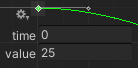
| **Frame Rate** | Curve | Sets the flipbook rate, in image frames per second, over the particle lifetime via a curve. The curve value at time 0 is the frame rate when a particle is born, and the value at time 1 is the frame rate when the particle reaches its lifetime.
This property only appears if you set **Mode** to **Constant**. |